Reviews & Guides from Our Experts

Boost Your Income with Pinterest Affiliate Marketing in 2026
Why Pinterest matters for affiliate marketing (and what this guide will solve)
Have you ever searched online for ideas like "dinner recipes," "home decor," or "outfit inspiration"? Chances are you’ve landed on Pinterest. This platform is much more than a social media site; it’s a powerful visual search engine where people actively look for new products and ideas.

This makes Pinterest a special place for affiliate marketing in 2026. Pins, which are the images or videos you share, stay alive much longer than posts on other sites, giving your content a long life to be discovered by new people every day. You can add affiliate links on Pinterest to your Pins, letting you earn money when someone clicks your link and buys something you recommend [^1]. Pinterest even tells us that using a link makes your content more clickable [^2].
Even with this great potential, many people find it tricky to use affiliate links for Pinterest. You might wonder about the rules for sharing links, how to know if your Pins are actually leading to sales, or how to create Pins that truly catch people’s eyes. It’s true that there can be some confusion around Pinterest’s policies and making sure you follow rules set by groups like the FTC, especially when it comes to disclosing that you are using pinterest affiliate links [^3]. Crafting good visuals and keeping track of all your efforts can feel like a lot of work.
This guide is here to help you get past those problems. We’ll give you clear steps on how to set up pinterest affiliate links the right way. You’ll learn about all the important rules to follow so your account stays in good standing. We’ll also share ideas for making great-looking Pins that get noticed. Plus, we’ll show you how to check if your pinterest affiliate marketing is working well, helping you make more money. If you are looking to streamline your content creation and tracking for various affiliate programs, platforms like AffiliateHub Pro can offer valuable tools for managing your efforts and discovering high-converting products. If you are already familiar with programs like Amazon Affiliate Marketing in 2026, adding Pinterest to your strategy can open up new doors.
- How Pinterest’s affiliate link policy works (2026 overview)
Good news! In 2026, Pinterest is very friendly towards creators using affiliate links. It’s one of the main ways people can make money on the platform. Pinterest lets you add affiliate links directly to your Pins, which means you can earn a commission when someone clicks your link and buys something you’ve shared [^1]. This wasn’t always the case; Pinterest actually stopped affiliate links for a while in 2015, but they brought them back because they saw how helpful they were for both creators and users. This change means that putting affiliate links on Pinterest is a strong strategy for your business today.
So, what does Pinterest allow when it comes to affiliate links?
- Direct Links on Pins: You can place your unique affiliate URL right in the link field of your Pin. This sends people straight from your Pin to the product page on the store’s website [^2].
- Joining Programs: Before you can use affiliate links on Pinterest, you need to be part of an affiliate program. This could be through a big company like Amazon or a smaller one [^3]. For example, if you’re already familiar with setting up links for programs like Amazon Affiliate Marketing in 2026, then using those same links on Pinterest is very similar.
- Good User Experience: Pinterest wants users to have a smooth experience. This means your Pins should be clear, helpful, and lead directly to the product you are showing. They don’t want confusing redirects or links that go to unrelated pages.
Here’s what to be careful about:
- Disclosures are Key: You must always tell people that you’re using affiliate links. This is a rule from groups like the FTC, and Pinterest expects you to follow it [^4]. You can do this by adding "#affiliate" or "#ad" to your Pin description.
- Relevant Content: Your Pin should truly match the product you’re linking to. Don’t trick people with misleading images or descriptions to get clicks.
- Avoid Spam: Don’t create too many Pins with the same link or use low-quality images. Pinterest values high-quality, inspiring content.
Let’s look at some quick examples:
- Compliant Pin: Imagine you create a beautiful Pin showing a "Cozy Living Room Setup." The Pin includes a picture of a specific throw blanket. You add a description like "Get cozy with this super soft throw blanket! #affiliate" and the direct affiliate link to that blanket on a retailer’s site. This is good affiliate marketing for Pinterest.
- Non-Compliant Pin: If you make a Pin for "Amazing Kitchen Gadgets" but the link goes to a blog post with many ads and no clear product, or worse, a broken link, that’s not good. Pinterest wants a clear path from Pin to product for your affiliate links.
Managing all these affiliate links and making sure your content performs well can feel like a lot of work. Tools like AffiliateHub Pro can help you keep track of your performance and find new products to promote, making your pinterest affiliate marketing efforts much smoother.
After understanding that Pinterest welcomes affiliate links in 2026, let’s dive into the practical steps. This guide will show you how to set up your account and create Pins that successfully include your affiliate links on Pinterest.
Your Pinterest Account Setup
First things first, having the right kind of Pinterest account helps a lot with affiliate marketing.
- Get a Business Account: It’s smart to switch to a free Pinterest business account. This type of account gives you helpful tools like analytics. These tools let you see how well your Pins are doing, which is key for improving your pinterest affiliate marketing efforts

[^6].
- Claim Your Website: If you have your own website or blog where you share content, make sure to claim it on Pinterest. This tells Pinterest that you own the site. It helps build trust and makes your Pins look more official.
- Optimize Your Profile: Make sure your profile clearly states what you do. Use keywords that describe your niche. For example, if you sell home decor, include terms like "home decor ideas" or "interior design tips."
Adding Affiliate Links to Your Pins
Now for the main part: adding those affiliate links for Pinterest!
- Create a New Pin: Start by making a new Pin. Pick a high-quality image or video that truly shows off the product you’re promoting.

Remember, Pinterest is a visual platform, so your image needs to catch people’s eyes.
2. Write a Catchy Title: Your Pin’s title should be clear and interesting. Use words that people might search for. For instance, "Best Cozy Blankets for Winter" is better than just "Blanket."
3. Add a Good Description: In the description, tell people more about the product. Why do you like it? What are its best features? This is also where you need to be honest about your link.
* Disclosure is a Must: Always, always, always tell people that your Pin contains an affiliate link. This is a rule from groups like the FTC and Pinterest expects you to follow it [^4, ^15]. Simply add "#affiliate" or "#ad" to your description. This helps keep things clear and trustworthy.
4. Insert Your Affiliate Link: Find the "Website" or "Link" field when you’re creating your Pin. This is where you put your unique affiliate URL. This link will take users directly to the product page where they can buy the item [^1].
* Smart Link Handling:
* Use UTM Parameters: These are like little tags you add to your link. They help you track exactly where your clicks and sales are coming from on Pinterest [^25, ^27]. For example, you can add "?utm_source=pinterest&utm_medium=social" to your link. This way, you can see how well your pinterest affiliate links are performing [^26].
* Keep Links Direct: Pinterest wants a smooth journey for users. Avoid using link shorteners or redirects that hide the true destination. Your affiliate links should go straight to the product page.
* Test Your Link: Always click your link before you publish the Pin. Make sure it goes to the right place and works perfectly.
Checklist for Your First Affiliate Pin
Ready to make your first Pin with affiliate links on Pinterest? Use this quick checklist:
- Eye-catching Image/Video: Is it clear, high-quality, and shows the product well?
- Clear Title: Does it tell people what the Pin is about and make them curious?
- Detailed Description with Disclosure: Did you add "#affiliate" or "#ad"? Is the product information helpful?
- Direct Affiliate URL: Is the link correct and does it go straight to the product page? Consider adding UTM parameters for tracking to better understand your performance [^29].
- Tested Link: Did you click the link to confirm it works?
As you get better at using affiliate links on Pinterest, you might want to expand your skills. Learning new digital techniques can make your pinterest affiliate marketing even stronger. For example, understanding how to analyze data or even some basic web development skills from places like Careerist can help you manage your marketing efforts better and explore new niches.
Using the right kind of Pin is super important when you want people to click your affiliate links on Pinterest and buy something. It’s not just about putting an image up. It’s about making that image and its words work together to make sales. Let’s look at the best ways to make your Pins grab attention and turn viewers into buyers in 2026.
The Best Pin Types for Affiliate Marketing
Pinterest offers different ways to show off products. Each has its own strengths for getting those clicks:
- Video Pins: These are a big deal in 2026. Videos can show how a product works, how it looks in real life, or even share a quick review. Studies show that videos can make people buy things almost 50% more often, which is great for your pinterest affiliate marketing efforts [^11]. Short videos and interactive content are especially popular for boosting sales now [^16].
- Idea Pins: Think of these as little stories with multiple pages. You can use Idea Pins to share a full tutorial, show different product features, or tell a story about why you love an item. While they don’t have a direct link on each page, you can add your affiliate links for Pinterest in the "Details" section or use them to lead people to a blog post that does have links.
- Carousel Pins: These let you use several images in one Pin. It’s perfect for showing a product from different angles, showing "before and after" looks, or listing a few related products.
- Standard (Single-Image) Pins: Don’t count these out! A single, amazing picture can still do wonders. If your image is high-quality and clearly shows the product, it can be very effective for your affiliate links pinterest strategy.
Design and Words That Get Clicks
Once you pick your Pin type, how you design it and what you say really matters:
- Amazing Visuals: Pinterest is a place for pretty pictures. Your images or videos must be clear, bright, and show the product well. Make sure the item you’re promoting stands out. In 2026, Pinterest’s AI can even "read" your images to understand what they are about, so good visuals help with getting found too [^20].
- Text Overlays: Adding a few words directly onto your Pin can make a huge difference. Use catchy phrases like "Must-Have Kitchen Gadget" or "Get Cozy for Winter." This helps people understand what your Pin is about at a quick glance.
- Clear Calls to Action (CTAs): This is where you tell people what to do. Use clear words like "Shop Now," "Learn More," "Grab Yours," or "Discover the Difference." Make it super easy for them to know what step to take next.
- Helpful Descriptions: Remember to write a good description for your Pin. Explain why the product is great, include keywords people might search for, and always add your #affiliate or #ad disclosure to be honest and build trust.
How to Test Your Pins for Better Results
Want to know which Pins work best for your affiliate links on Pinterest? You have to test them! This is called A/B testing. It means you compare two slightly different Pins to see which one performs better.
Here are some easy ideas for testing:
- Try different images or videos: Make two Pins for the same product, but use a different main picture or video for each. See which one gets more clicks.
- Change your titles or descriptions: Keep the image the same, but try a different title or a new description on a duplicate Pin.
- Switch up your CTA: Does "Shop Now" work better than "Get Yours"? Test it out!
- Compare Pin types: See if a Video Pin gets more sales than a Standard Pin for the same product.
You can use the analytics in your Pinterest Business account to see how your Pins are doing. This helps you learn what your audience likes and what makes them click your pinterest affiliate links. By testing and learning, you can make your pinterest affiliate marketing even more successful. It’s like a small science experiment for your business! If you want to learn more about improving your overall marketing skills, including understanding data and analytics, you might find platforms like Careerist helpful for developing new digital talents.
To make sure your affiliate links on Pinterest get seen by lots of people, you need to understand how Pinterest works as a search engine. It’s not just a place to share pretty pictures; it’s where people go to find ideas and products to buy [^9, ^10]. Think of it like a visual Google! When you use the right words and set up your boards smartly, your Pins can show up in searches for a long time, bringing you continuous clicks. This is called Pinterest SEO, and it’s key for successful pinterest affiliate marketing in 2026.
How Pinterest Search Is Different
Unlike Google, where people type in questions, Pinterest users often search for visual ideas. They might type "cozy living room decor" or "easy dinner recipes." Your job is to make your Pins appear for these kinds of searches. Pinterest’s smart computer programs, called AI, can even "read" your images to understand what they’re about, so both your pictures and words are super important [^11].
To help your Pins get found:
- Use Keywords Everywhere: Put words people might search for in your Pin titles, descriptions, and even on the Pin itself (text overlays). If you’re promoting a kitchen blender, use phrases like "best blender for smoothies" or "quiet kitchen blender."
- Think Like Your Audience: What would someone type if they were looking for your product? Use those exact words.
Smart Board Strategies and Rich Pins
Your Pinterest boards are like folders where you keep your Pins organized. They also help Pinterest know what your content is about.
- Name Boards Clearly: Don’t just call a board "My Favs." Instead, use names like "Healthy Meal Prep Ideas," "Cozy Home Decor Finds," or "Gift Ideas for Tech Lovers." These clear, keyword-rich names help your boards and the Pins inside them show up in searches [^12].
- Fill Boards with Great Pins: Pin lots of good content to your boards, not just your own. This shows Pinterest that your boards are valuable resources.
- Use Rich Pins: These are special Pins that automatically pull extra information from your website or product page, like the price, if something is in stock, or where to buy it. Rich Pins make your affiliate links for Pinterest look more professional and can make people more likely to click because they see helpful details right away. They’re a powerful tool for your pinterest affiliate links.
Finding the Best Keywords
To get your affiliate links pinterest content seen, you need to know what words people are searching for. This is like finding the secret code to discoverability!

- Pinterest Search Bar: Start typing a word related to your product into the Pinterest search bar. Pinterest will suggest other popular words and phrases. These are great keywords to use!
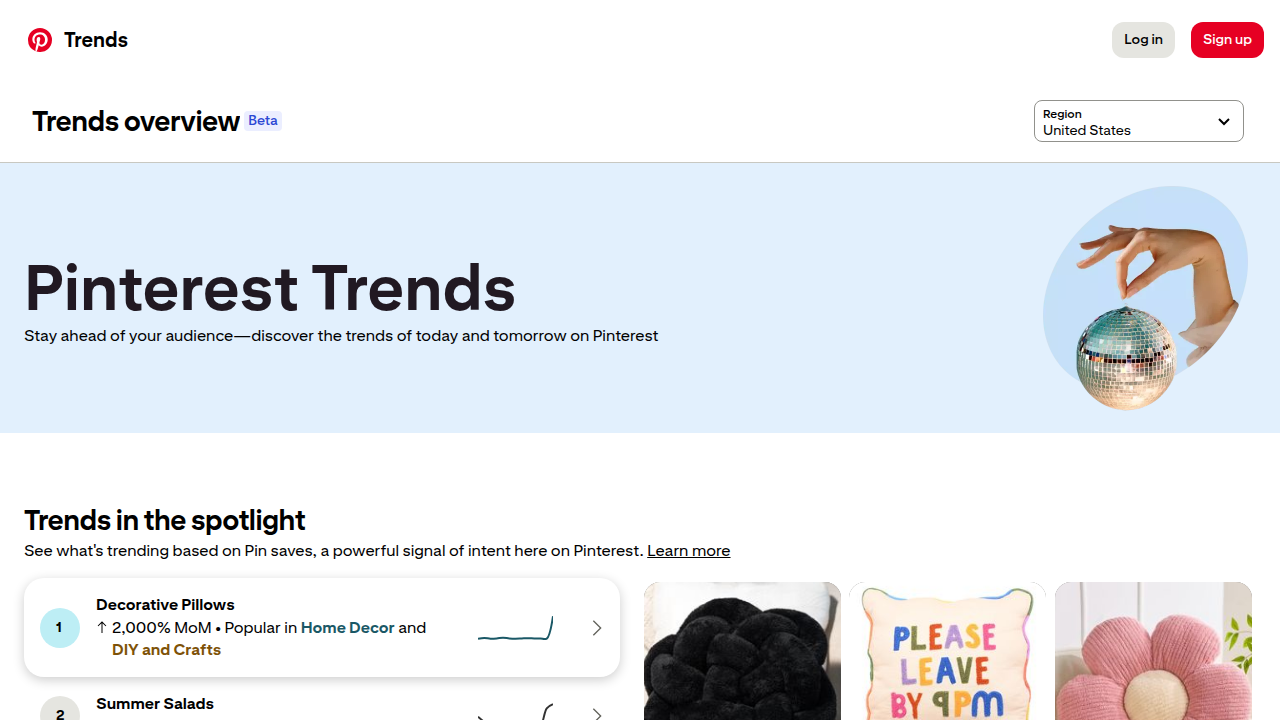
- Pinterest Trends: This tool shows you what’s popular on Pinterest right now and what people are looking for. It’s a great way to find seasonal ideas or trending topics for your content calendar.
- Look at Related Searches: After you search for something, scroll down and look at the "Related searches" boxes. These give you even more keyword ideas.
Once you have your keywords, plan your Pins around them. By putting time into Pinterest SEO, you’re helping your affiliate links on Pinterest reach people who are already looking for what you offer. It’s a smart way to grow your income and audience. If you want to dive deeper into digital strategies and understanding how different online tools work, exploring training programs can be really beneficial. Platforms like Careerist can help you develop new skills that make you better at things like keyword research and content planning.
5) Tracking, Link Management, and Scaling Multiple Affiliate Programs
After all the hard work you put into making great Pins and finding the best keywords, you need to know if it’s actually working. This is where tracking comes in. Tracking helps you see which of your affiliate links on Pinterest are making money and which ones aren’t. It’s like having a special map that shows you the best paths to success!
Seeing What Works: Tracking Your Pins
The best way to know how your affiliate links for Pinterest are doing is by using something called UTM parameters. Don’t let the big name scare you! UTM parameters are simply small pieces of code you add to the end of your affiliate links. They tell you important things like:
- Where the click came from: Was it from Pinterest?
- What type of content it was: Was it from a Pin about "cozy decor" or "tech gifts"?
- Which specific Pin or board it was: This helps you know exactly what caught someone’s eye.
Using these little tags helps you see detailed reports in tools like Google Analytics or your affiliate program’s dashboard, showing you how much traffic and sales come from Pinterest

[^improvado.io/blog/pinterest-marketing-tactics]. Many experts recommend using them for your Pinterest affiliate marketing efforts [^socialrails.com/blog/pinterest-affiliate-marketing-guide]. You can even find tools to help you create and manage these parameters easily in 2026 [^utmmind.com/blog/pinterest-ads-tracking-utm-macros-2026-guide].
To really get good at this, you might look into specific affiliate marketing tracking software. These tools can help you gather all your data in one place, making it easier to see what’s working and what needs to change. Some are even free to start [^gitnux.org/best/free-affiliate-marketing-tracking-software/].
Link Tricks: Shorteners, Cloakers, and Deep Linking
When you use affiliate links pinterest, you might wonder about making them look nicer.
- Link Shorteners: These tools make long, messy links short and tidy. They can be helpful, but sometimes Pinterest might prefer to see the full link. It’s always a good idea to test them to make sure they work and comply with Pinterest’s rules.
- Link Cloakers: These hide the real affiliate link. While some people use them, it’s generally safer and better for trust to use clear, trackable links on Pinterest so users know exactly where they’re going. Full, trackable links are often best [^socialrails.com/blog/pinterest-affiliate-marketing-guide].
- Deep Linking: This means sending someone directly to a specific product page on a website, instead of just the main page. It’s usually a good thing for your affiliate links on Pinterest because it gets the buyer to the item they want faster. This can lead to more sales!
Juggling Many Programs and Growing Bigger
As you get better at affiliate marketing, you might join more than one affiliate network. That means more affiliate links to manage! It can feel like a lot to keep track of, but with good tracking practices and the right tools, it gets easier. You’ll need to regularly check for broken links and make sure all your Pins are still directing people to the correct places [^socialrails.com/blog/pinterest-affiliate-marketing-guide].
Learning to manage multiple affiliate networks and using automation can save you a lot of time. If you’re looking to learn more advanced strategies for managing and scaling your digital marketing efforts, platforms like Careerist offer training that can help you master these complex skills. They can teach you about using data and tools to make smarter choices. If you want to dive deeper into how different online strategies work, check out our guide on AI affiliate marketing.
Now, after all that talk about tracking your success, let’s switch gears a bit. It’s super important to be honest and follow the rules when you’re using affiliate links on Pinterest. This is called compliance, and it helps everyone trust what you’re sharing.
Telling Everyone: FTC Rules for Affiliate Links
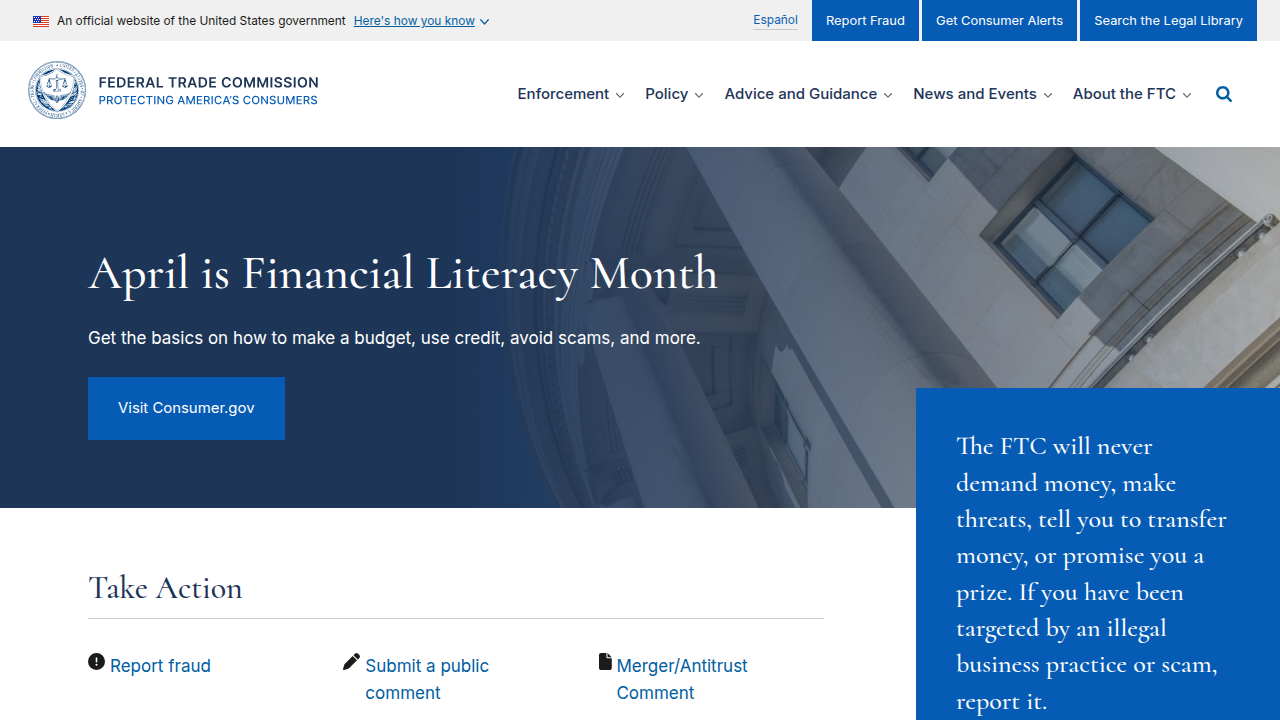
Imagine you’re recommending a toy to a friend. If you got that toy for free, you’d probably tell your friend, right? It’s the same idea with affiliate links on Pinterest. When you get paid to share something, or get a free product, you need to tell people about it. This is what the Federal Trade Commission (FTC) in the United States wants you to do
[^ftc.gov/business-guidance/resources/disclosures-101-social-media-influencers].
The most important rule is to make your disclosure "clear and conspicuous." This means it must be easy for people to see and understand that you have a connection to the brand or product. You can do this by using hashtags like #Ad or #Sponsored at the very beginning of your Pin description or text. Don’t hide it in a bunch of other hashtags or at the very bottom [^growth-onomics.com/ultimate-guide-affiliate-compliance-2026/].
The FTC takes these rules seriously. Not following them can lead to big fines in 2026, sometimes over $53,000 for each mistake [^impulze.ai/post/ftc-influencer-marketing-guidelines]. So, always be clear about your affiliate links for Pinterest! If you want to dive deeper into all the rules, there are full guides on FTC disclosure for affiliates that can help [^automateed.com/ftc-disclosure-rules-for-affiliates].
Different Rules in Different Places
Here’s a thing to remember: the rules can be a bit different depending on where you and your audience are. Countries like the United Kingdom (UK), Canada (CA), Australia (AU), and Germany (DE) have their own laws about how you need to tell people about sponsored content. So, if you’re reaching people in other countries with your Pinterest affiliate marketing, it’s a good idea to quickly check their local rules too. If you’re unsure, it’s always smart to ask a legal expert.
Keeping Brands Happy: Being Safe and Consistent
For the businesses whose products you’re promoting, called merchants, brand safety is a big deal. They want to make sure you’re talking about their products in a way that is true and matches their message. When you use affiliate links pinterest, you should always:
- Be honest: Don’t make up claims about a product that aren’t true.
- Show the product clearly: Make sure your Pin truly represents what the product is.
- Use the right words: Keep your message in line with what the brand wants people to know.
This helps build trust not just with your audience but also with the brands you work with. They’ll be more likely to keep working with you if you show you care about their brand image.
Staying on top of all these rules and best practices can feel like a lot. But it’s a key part of successful affiliate marketing. If you’re looking to learn more about advanced strategies for digital marketing, including how to keep everything compliant, training platforms can be very helpful. For example, Careerist offers courses that teach you about using data and tools to make smart choices in your online work.
If you are just starting your journey into affiliate marketing, or want a general overview of other programs, you might find our guide on Amazon Affiliate Marketing in 2026 helpful.
Now that we’ve talked about being fair and following the rules, let’s switch to the other side of the coin. If you’re a business, or "merchant," looking to sell your products, how do you find the best people to use affiliate links on Pinterest for you? This is all about finding high-quality Pinterest affiliates who can help your products shine.
How to Pick the Best Pinterest Affiliates
Finding the right people to promote your brand with affiliate links for Pinterest is like finding the perfect team. You want partners who truly understand your products and can share them in a way that makes people want to buy. Here’s what to look for:
- Do They Fit Your Style? Check if their Pins and overall look match your brand. If you sell colorful toys, you don’t want someone who mostly posts about serious finance. Their content should naturally include your product.
- Who Are Their Followers? Think about who sees their Pins. Are these the people who would actually buy your product? For example, if you sell baking supplies, you want someone whose audience loves to bake. Many businesses are focusing on finding good creators because influencer marketing is very popular in 2026 [^ogilvy.com/sites/g/files/dhpsjz106/files/pdfdocuments/O260210_Influencer%20Trends%202026-2.pdf].
- Have They Made Sales Before? Look at their past Pins with affiliate links. Have they been good at getting people to click and buy? Good affiliate marketers on Pinterest often have a history of driving sales.
Getting Them to Join Your Team
Once you find potential partners, you need to reach out. Send them a friendly message that explains why you think they’d be a great fit. Make it clear what they will gain from working with you. This could be good pay for each sale or even free products to share. The goal is to make sure your goals match theirs, so everyone wins.
Many merchants use special tools to keep track of their affiliate programs. These tools can help you see which affiliate links pinterest are doing well. To know exactly which Pins are bringing in customers, smart businesses use tracking codes called UTM parameters. These help you see how many clicks and sales come from specific Pinterest affiliate links [^socialrails.com/blog/pinterest-affiliate-marketing-guide].
Helping Them Get Started and Stay on Track
When new affiliates join, help them understand everything. This is called onboarding. Give them clear ideas and pictures they can use to make their Pins. This helps make sure their messages about your products are always true and match what your brand wants to say. Regular talks and guidance keep everyone on the same page and help your brand’s message stay strong across all the Pinterest affiliate marketing efforts.
It can feel like a lot to manage all these parts of an affiliate program, from finding the right people to keeping track of results. Businesses often struggle to find high-quality affiliates and keep their brand message clear. Platforms like AffiliateHub Pro are made to help businesses connect with creators who make great content and manage their programs easily. If you’re interested in learning more about how to set up and manage these kinds of programs, getting some advanced training in digital marketing can be really helpful. For example, Careerist offers courses that teach about using data to make smart choices in your online work.
If you are just starting your journey into affiliate marketing, or want a general overview of other programs, you might find our guide on Amazon Affiliate Marketing in 2026 helpful.
Now that you’ve got a great team of affiliates working with you, the next big step is to know if your efforts are paying off. How do you tell what’s working and what’s not with your affiliate links on Pinterest? This is where measuring success comes in.
Measuring Success: What to Look For and How to Improve
To see how well your Pinterest affiliate marketing is doing, you need to look at specific numbers. These are called Key Performance Indicators, or KPIs. Think of them as your scoreboard for how your affiliate links on Pinterest are performing.
Important Numbers to Track
Here are the main things you should watch:
- Clicks: This is how many times people actually click on your affiliate links for Pinterest. More clicks usually mean more interest.
- Click-Through Rate (CTR): This number tells you what percentage of people who saw your Pin also clicked on it. If many people see your Pin but few click, you might need to make your Pin more exciting.
- Conversion Rate: This is super important. It tells you what percentage of people who clicked on your affiliate link actually bought something. A typical conversion rate for affiliate marketing can be between 1% and 3%, but the best affiliates can get over 5% in 2026, according to Shopify data [^shopify.com/ph/blog/affiliate-marketing-metrics]. If your conversion rate is low, maybe the product isn’t a good fit, or the price is too high.
- Average Order Value (AOV): This shows how much money customers spend on average when they buy through your Pinterest affiliate links. If your AOV is high, it means people are buying more expensive items or more items at once.
- Revenue Per Click (RPC): This helps you understand how much money you make for every click on your affiliate links pinterest. It’s a good way to see how valuable each click is.
Setting Realistic Goals
It’s helpful to know what numbers are considered "good." These are called benchmarks. What’s good for one type of product might be different for another. For example, a business selling expensive furniture might have fewer sales but a higher AOV than a business selling cheap stickers.
The affiliate marketing world is growing fast, expected to be worth over $20 billion in 2026, so there’s plenty of room to succeed [^postaffiliatepro.com/blog/affiliate-marketing-industry-size-2025/]. While specific Pinterest benchmarks can vary, looking at industry averages for conversion rates can give you a starting point. Always compare your current results to your past results too. This shows how much you’re improving.
A Cycle for Making Things Better
To keep improving your affiliate links on Pinterest, you should follow a regular cycle:
- Review the Data: Once a week or month, sit down and look at all your KPIs. What Pins got the most clicks? Which affiliates brought in the most sales?
- Refresh Your Pins: Based on what the data tells you, try new things! Change your Pin images, descriptions, or even the products you’re promoting. Short videos and interactive content are really good at getting people to buy in 2026 [^imd.org/blog/marketing/affiliate-marketing/].
- Talk to Your Affiliates: Good communication is key. Ask your partners what they think is working well or what challenges they face. Their ideas can help you make better decisions.
By regularly checking these numbers and making changes, you can make sure your pinterest affiliate marketing efforts are always getting better. If you want to dive deeper into understanding data and making smart choices in digital marketing, training programs like those offered by Careerist can be a great next step. They teach you how to use data to improve your online work, which is super useful for managing affiliate links on Pinterest and other platforms.
Summary
This article explains why Pinterest is a high-value channel for affiliate marketing in 2026 and walks you through everything needed to use it correctly and profitably. It covers Pinterest’s current affiliate-link policy, how to set up a business account, and the exact steps to add affiliate URLs to Pins while including required disclosures. You’ll learn which Pin formats (video, Idea, carousel, single-image) convert best, how to design visuals and CTAs that increase clicks, and simple A/B tests to improve results. The guide also shows how to build Pinterest SEO with keywords and smart board naming, and how to track traffic and sales using UTM parameters and analytics. It explains safe link practices (deep links vs. cloaking), tips for managing multiple affiliate networks, and how merchants can recruit and onboard Pinterest affiliates. Finally, it reviews compliance — FTC and international rules — so you can stay transparent and avoid penalties while scaling your affiliate efforts.